Compare
Kajo vs Granola
Granola listens to your meetings through the system audio and streams the audio to cloud transcription providers; notes are summarised by cloud models, and by default Granola may train on anonymised data unless you opt out. Kajo is for recordings you already have: import them on Mac, Windows, or Linux, transcribe and summarise on your machine, and ask a folder — or, with a confirm, the whole library — with cited answers. One $49 purchase unlocks unlimited imports and Lifetime convenience (watch folders, batch export) — one payment, no subscription.
Granola takes notes in your meetings through the cloud. Kajo keeps the recordings you already have on your own machine — Mac, Windows, or Linux — and answers with citations.
Why people choose Kajo over Granola
-
Audio never leaves your machine
-
Linux, as well as Mac and Windows
-
Any recording, not just meetings
-
Cited answers, not just notes
-
One purchase, no seats
-
Your installed version keeps working
Kajo vs Granola: side by side
| Feature | Kajo | Granola |
|---|---|---|
| Where audio is processed | On your machine | Audio is streamed to cloud transcription providers (Deepgram, AssemblyAI) and not stored; notes are summarised by OpenAI and Anthropic models |
| Capture | Import recordings you already have | System audio during the call (no bot) |
| Platforms | macOS, Windows, Linux | macOS 14+, Windows, iOS, and Android — no Linux |
| Plans | Free, then $49 launch / $99 standard | Basic $0; Business $14/user/month; Enterprise $35/user/month |
| Works offline | Yes | No |
Three reasons Kajo exists
-
Local-first / private by default
Your audio never leaves your laptop.
Audio is transcribed on-device — there is no cloud-processing path. Private by architecture.
-
Cross-platform, including Linux
Mac, Windows, and Linux — one product, three operating systems.
Native installers for all three. Linux is a first-class target, not a port — the only local audio knowledge base that takes it seriously.
-
Cited chat
Ask questions across your archive — get cited answers.
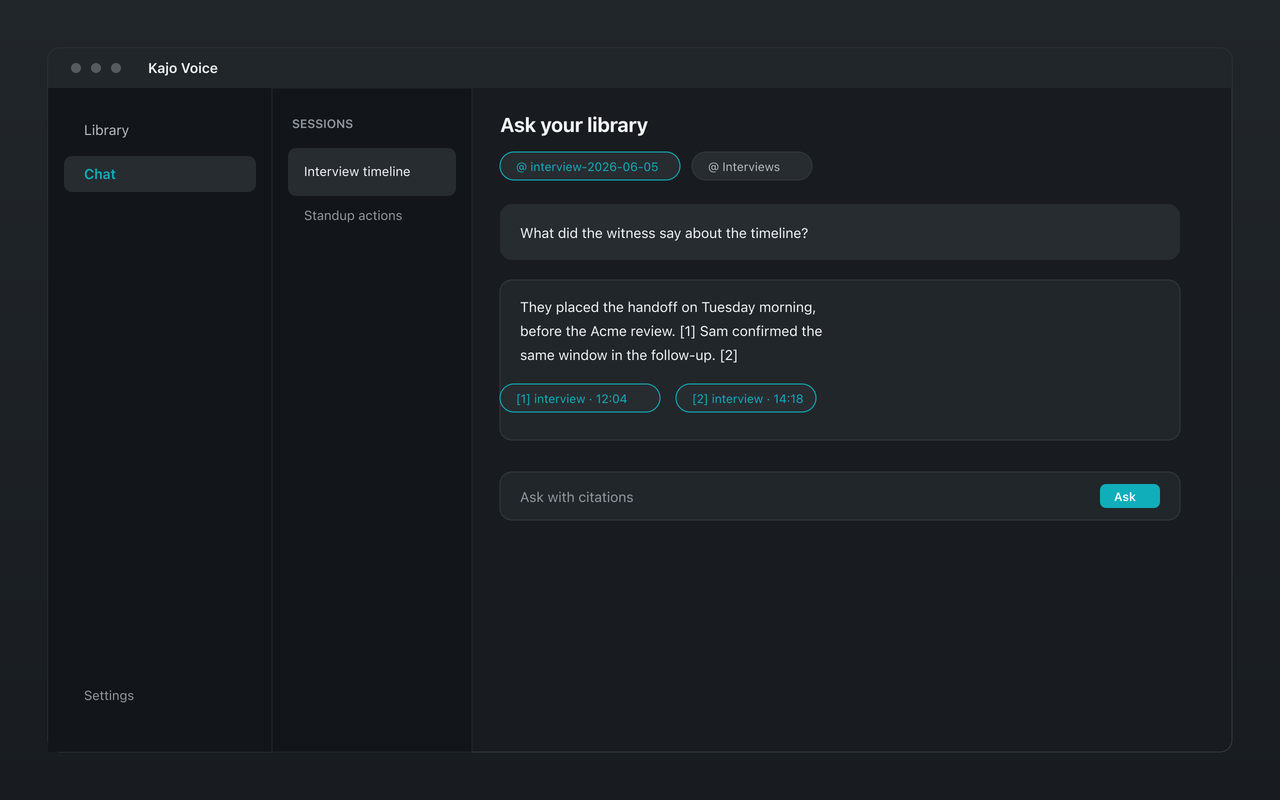
Chat with your entire library using a local model. Every answer links back to the exact moment in the recording — no copy/paste.
Frequently asked questions
Does Kajo join meetings like Granola?
No. Kajo has no live capture at all — it works on recordings and files you import. Granola listens to the call through your computer's audio and sends it to cloud transcription providers.
Can I use Kajo on Linux?
Yes. Kajo ships .deb, .rpm, AppImage, and tar.gz for x86_64 and ARM64. Granola runs on macOS, Windows, iOS, and Android — there is no Linux build.
Can I move my Granola notes into Kajo?
Not directly. Granola exports notes as CSV and does not keep your audio; Kajo imports audio and video files and transcribes them itself. If you kept your own recordings, import those.