Compare
Kajo vs Gemini Notebook (formerly NotebookLM)
Google renamed NotebookLM to Gemini Notebook in July 2026. It cites its sources well, but it works in Google's cloud, caps sources per notebook by plan, and treats audio as one more upload to transcribe. Kajo is audio-native and local: transcribe on your machine, file recordings into folders, and ask a folder — or, with a confirm, the whole library — with cited answers. One $49 purchase unlocks unlimited imports and Lifetime convenience (watch folders, batch export) — one payment, no subscription.
Gemini Notebook is free and good — until the source cap, the cloud, and audio as just another upload. Kajo is audio-native, local, and uncapped after one purchase. Your sources never upload.
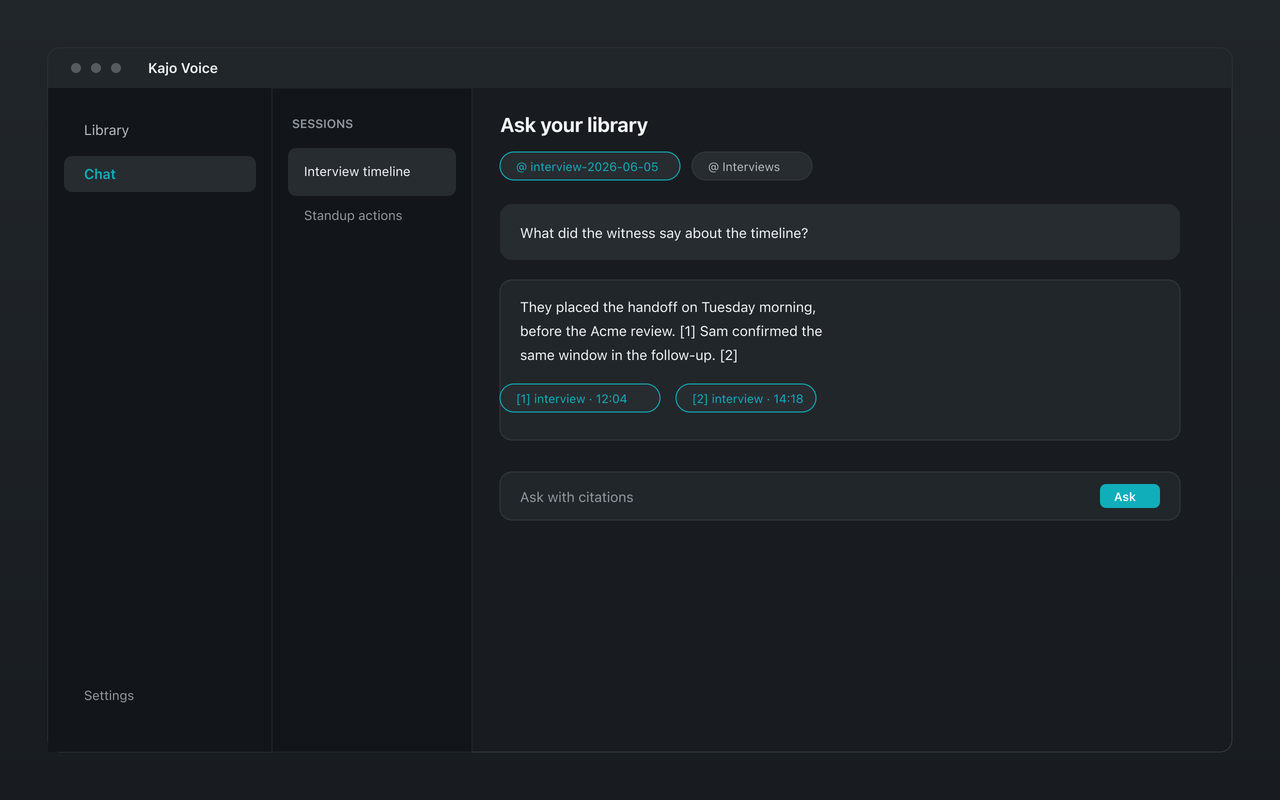
Why people choose Kajo over Gemini Notebook (formerly NotebookLM)
-
Audio first, not just another upload
-
Sources never leave your machine
-
No source cap after Lifetime
-
Cited answers, on your machine
-
Works offline
-
Linux, as well as Mac and Windows
Kajo vs Gemini Notebook (formerly NotebookLM): side by side
| Feature | Kajo | Gemini Notebook (formerly NotebookLM) |
|---|---|---|
| Where sources live | On your machine | Google's cloud |
| Sources per notebook | Unlimited after Lifetime (5 files on Free) | 50 on the free tier; 300 with Google AI Pro; 500–600 with Ultra |
| Audio handling | Transcribed on your machine, with speaker labels | Transcribed in the cloud at import |
| Citations | Yes — on your machine, to the timestamp | Yes (cloud) — inline, to the source passage |
| Price | Free, then $49 launch / $99 standard | Free; paid Google AI plans raise the cap |
| Works offline | Yes | No |
Three reasons Kajo exists
-
Local-first / private by default
Your audio never leaves your laptop.
Audio is transcribed on-device — there is no cloud-processing path. Private by architecture.
-
Cross-platform, including Linux
Mac, Windows, and Linux — one product, three operating systems.
Native installers for all three. Linux is a first-class target, not a port — the only local audio knowledge base that takes it seriously.
-
Cited chat
Ask questions across your archive — get cited answers.
Chat with your entire library using a local model. Every answer links back to the exact moment in the recording — no copy/paste.
Frequently asked questions
Is Kajo a local NotebookLM alternative?
For audio, yes. Kajo transcribes your recordings on your machine, files them into a searchable library, and answers questions across a folder with citations — without uploading a source to a cloud.
Does Kajo have a source cap like Gemini Notebook?
Gemini Notebook allows 50 on the free tier; 300 with Google AI Pro; 500–600 with Ultra. Kajo's Free tier covers 5 files or 150 minutes of audio — total, for life and caps the chat index at 50 entries; one $49 purchase removes both caps.
Does Gemini Notebook cite sources too?
Yes — Inline citations that jump to the source passage. The difference is where the work happens — Google's cloud versus your machine — and how audio is treated: Kajo transcribes it locally with speaker labels and cites the timestamp.
Can other AI tools read my Kajo library?
No. Chat runs inside Kajo on your machine; there is no cloud sync and no bridge for other apps to query the library. If you want an answer elsewhere, export it as Markdown or DOCX.