Compare
Kajo vs Skimle
Skimle is a capable cloud QDA tool: it auto-codes interviews, chats with verbatim quotes, exports REFI-QDA to NVivo, MAXQDA, and ATLAS.ti, and stores data in the EU on credit-based monthly plans. Kajo keeps the audio on your machine: transcribe on-device with speaker labels, ask a folder — or, with a confirm, the whole library — with cited answers, and export the same REFI-QDA format. One $49 purchase unlocks unlimited imports and Lifetime convenience (watch folders, batch export) — one payment, no subscription.
Skimle codes and exports in its cloud, by the credit. Kajo transcribes, answers with citations, and exports REFI-QDA on your own machine — one purchase.
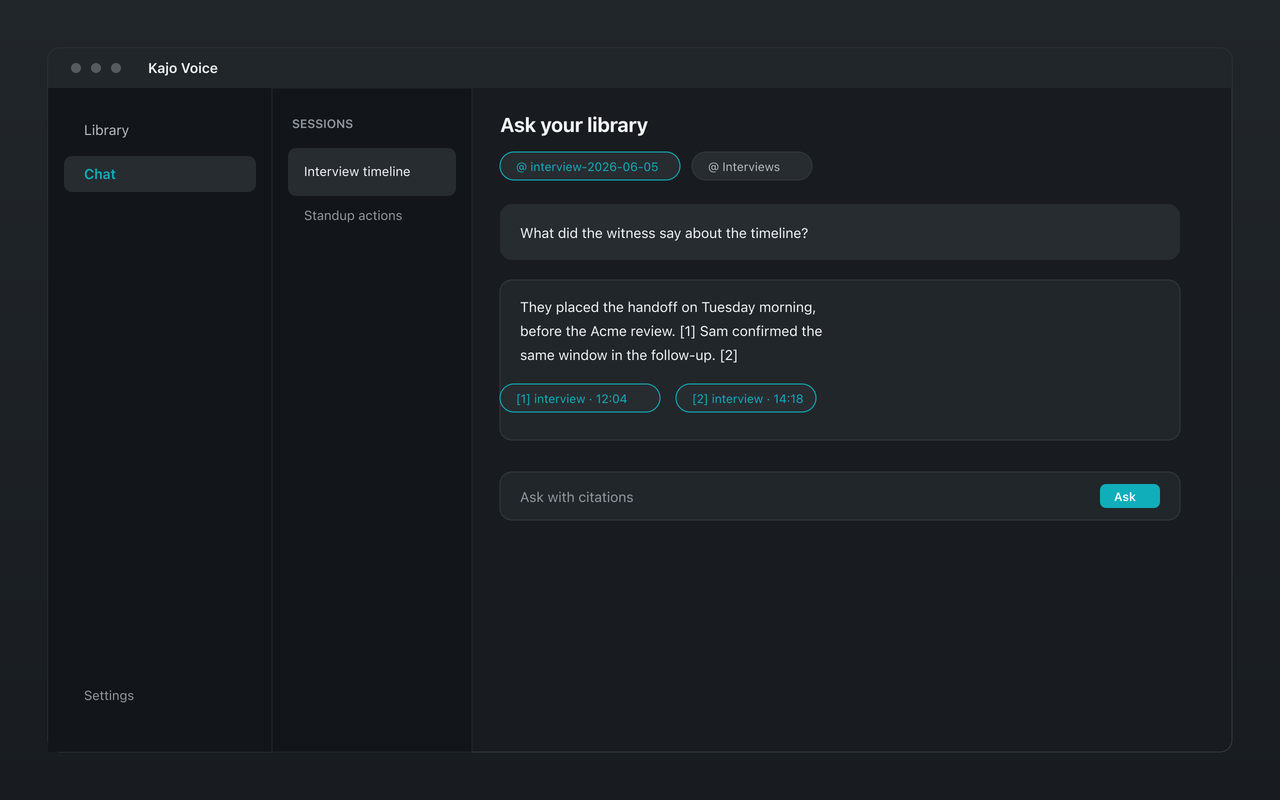
Why people choose Kajo over Skimle
-
Audio never uploads
-
The same REFI-QDA export
-
Cited chat too — on your machine
-
One purchase, not monthly credits
-
Works offline
-
Your installed version keeps working
Kajo vs Skimle: side by side
| Feature | Kajo | Skimle |
|---|---|---|
| Where audio is processed | On your machine | Skimle's cloud (EU) |
| REFI-QDA / QDPX export | Yes | Yes |
| Auto-coding | No — speaker-coded turns only | Yes (cloud) |
| Cited chat | Yes — on your machine | Yes (cloud) |
| Pricing | Free, then $49 launch / $99 standard | Starter €25/month (200 credits); Expert €50/month (600); Professional €100/month (1,800); one credit is roughly one minute of transcription |
| Works offline | Yes | No |
Three reasons Kajo exists
-
Local-first / private by default
Your audio never leaves your laptop.
Audio is transcribed on-device — there is no cloud-processing path. Private by architecture.
-
Cross-platform, including Linux
Mac, Windows, and Linux — one product, three operating systems.
Native installers for all three. Linux is a first-class target, not a port — the only local audio knowledge base that takes it seriously.
-
Cited chat
Ask questions across your archive — get cited answers.
Chat with your entire library using a local model. Every answer links back to the exact moment in the recording — no copy/paste.
Frequently asked questions
Does Kajo export to NVivo, ATLAS.ti, and MAXQDA like Skimle?
Yes. Kajo's .qdpx bundle holds the project file, the transcript text, one code per speaker with every turn marked at its exact start and end time, and the recording itself embedded when it is under about 2 GB (referenced otherwise). SRT, VTT, and CSV are separate exports.
What does Skimle do that Kajo does not?
Auto-coding. Skimle suggests thematic codes in its cloud; Kajo exports speaker-coded turns and leaves thematic coding to your CAQDAS tool. In return, your audio never leaves your machine.
Is Kajo cheaper than Skimle?
Different model. Skimle's plans are Starter €25/month (200 credits); Expert €50/month (600); Professional €100/month (1,800); one credit is roughly one minute of transcription. Kajo is one $49 purchase after a free tier of 5 files or 150 minutes of audio — total, for life.