Compare
Kajo vs Scriberr
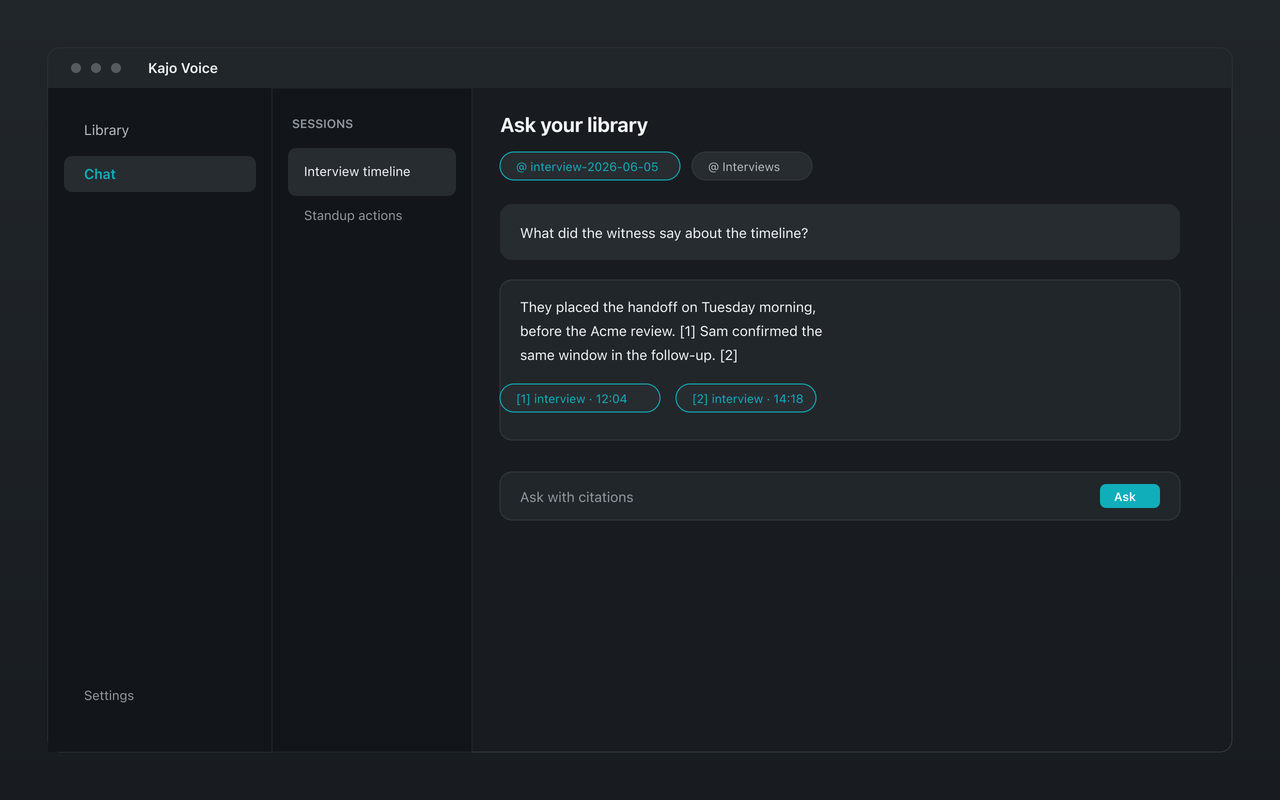
Scriberr is a strong open-source option if you are happy to self-host: Docker or Homebrew, on-device transcription with speaker diarization, a directory watcher, chat over a transcript through Ollama or an OpenAI-compatible model, and a REST API. Kajo is the packaged desktop version of that idea: install it on Mac, Windows, or Linux, transcribe on your machine, ask a folder — or, with a confirm, the whole library — with cited answers, and export REFI-QDA to NVivo, MAXQDA, or ATLAS.ti. One $49 purchase unlocks unlimited imports and Lifetime convenience (watch folders, batch export) — one payment, no subscription.
Scriberr is local transcription you host yourself. Kajo is local transcription you install — with a library, cited chat across a folder, and CAQDAS export built in.
Why people choose Kajo over Scriberr
-
A desktop app, not a server
-
Ask a folder, not one transcript
-
Speaker labels included
-
REFI-QDA export built in
-
Still fully local
-
Your installed version keeps working
Kajo vs Scriberr: side by side
| Feature | Kajo | Scriberr |
|---|---|---|
| Setup | Install a desktop app | Self-host (Docker or Homebrew) |
| On-device transcription | Yes | Yes |
| Chat scope | A folder or, with a confirm, the whole library — with citations | One transcript, via Ollama or an OpenAI-compatible model |
| Speaker labels | Yes | Yes |
| Watched folders | Watch folders (Lifetime) | Directory watcher |
| REFI-QDA / QDPX export | Yes | Not listed |
Three reasons Kajo exists
-
Local-first / private by default
Your audio never leaves your laptop.
Audio is transcribed on-device — there is no cloud-processing path. Private by architecture.
-
Cross-platform, including Linux
Mac, Windows, and Linux — one product, three operating systems.
Native installers for all three. Linux is a first-class target, not a port — the only local audio knowledge base that takes it seriously.
-
Cited chat
Ask questions across your archive — get cited answers.
Chat with your entire library using a local model. Every answer links back to the exact moment in the recording — no copy/paste.
Frequently asked questions
Do I need Docker or a server to run Kajo?
No. Kajo is a native desktop app for Mac, Windows, and Linux. There is no container to run and nothing to keep updated on a server.
Does Kajo keep transcription local like Scriberr?
Yes. Kajo transcribes on your machine; your audio stays there. Translation, summaries, and chat run on-device too — there is no cloud-processing path.