Compare
Kajo vs Otter.ai
Otter is a cloud meeting notebook: its agent joins Zoom, Teams, and Meet on paid plans, transcripts live in Otter's cloud, AI Chat is metered per plan, and Otter trains its own models on de-identified recordings and transcripts. Kajo is for the recordings you already have — interviews, lectures, field tapes, podcasts — transcribed on your machine, filed into a private library, and answered with citations over a folder or, with a confirm, the whole library. One $49 purchase unlocks unlimited imports and Lifetime convenience (watch folders, batch export) — one payment, no subscription.
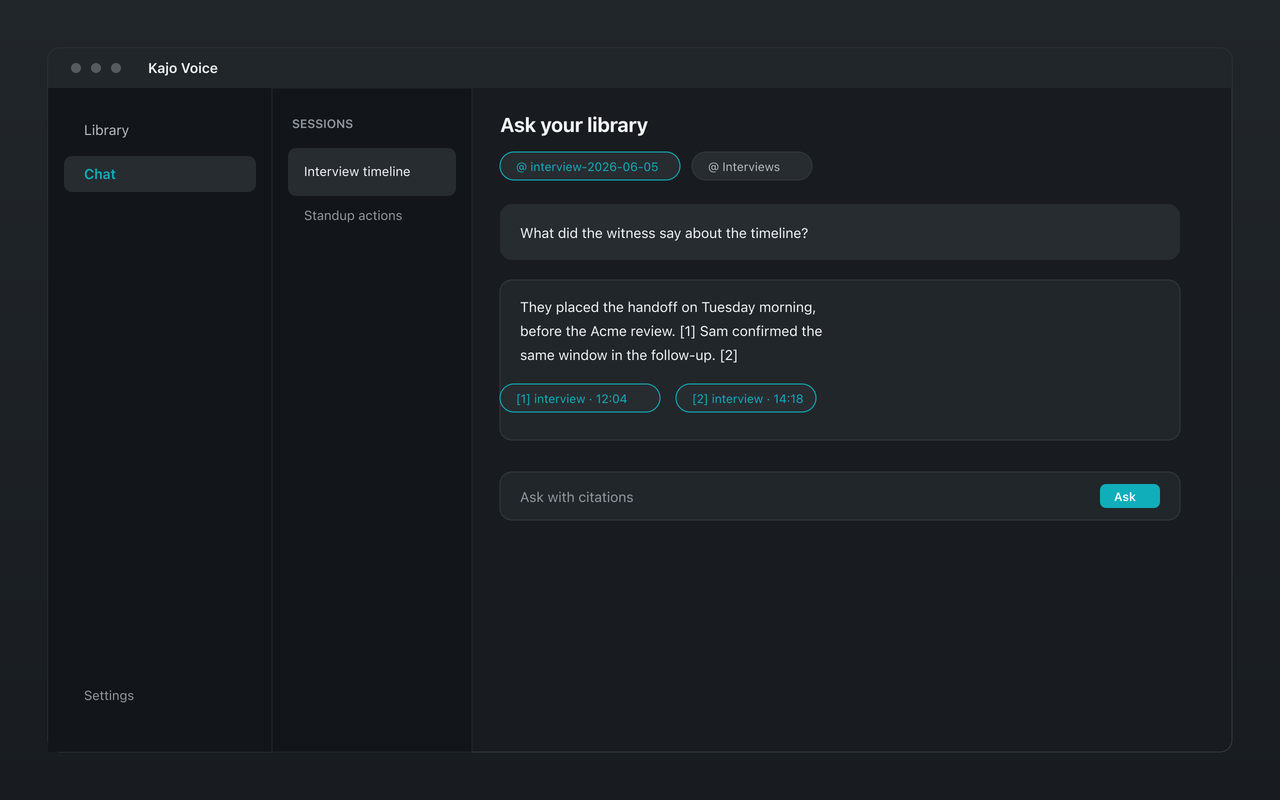
Otter lives in your meetings and its cloud. Kajo lives on your machine: the recordings you already have, searchable and answerable with citations.
Why people choose Kajo over Otter.ai
-
No bot in your calls
-
Audio never uploads
-
No training on your recordings
-
Cited answers on your machine
-
Any recording, not just meetings
-
One purchase, no seats
Kajo vs Otter.ai: side by side
| Feature | Kajo | Otter.ai |
|---|---|---|
| Where recordings live | On your machine | Otter's cloud |
| Capture | Import recordings you already have | Meeting agent joins Zoom, Teams, and Meet (Pro and above) |
| Free tier | 5 files or 150 minutes of audio — total, for life | 300 minutes/month, 30 minutes per conversation, 3 lifetime audio/video file imports, AI Chat 20 queries/month |
| Paid | $49 launch / $99 standard, one-time | Pro $16.99/user/month billed monthly ($8.33/user/month billed annually) |
| Cited chat | Yes — on your machine | Yes (cloud) — AI Chat, metered per plan |
| Model training on your data | None — nothing leaves your machine | Trains its own AI on de-identified recordings and transcripts; the policy lists no opt-out |
| Platforms | macOS, Windows, Linux | macOS and Windows desktop apps, web, iOS, and Android — no Linux app |
Three reasons Kajo exists
-
Local-first / private by default
Your audio never leaves your laptop.
Audio is transcribed on-device — there is no cloud-processing path. Private by architecture.
-
Cross-platform, including Linux
Mac, Windows, and Linux — one product, three operating systems.
Native installers for all three. Linux is a first-class target, not a port — the only local audio knowledge base that takes it seriously.
-
Cited chat
Ask questions across your archive — get cited answers.
Chat with your entire library using a local model. Every answer links back to the exact moment in the recording — no copy/paste.
Frequently asked questions
Does Kajo send a bot into meetings like Otter?
No. Kajo has no live capture and no meeting agent — it works on recordings and files you import. Nothing joins your calls.
Can I move my Otter recordings into Kajo?
Bring the audio. Otter's export rules: Basic exports plain text (.txt) and nothing else; Pro and above add audio (MP3) export; bulk export from Business. Import the MP3s and Kajo transcribes them on your machine; it does not import Otter's text transcripts.
Can my team share a Kajo workspace like Otter?
No — that is the deliberate wedge. Kajo is for individuals and small practices who want their audio to stay on their own machines, not a shared cloud notebook.
Does Kajo work offline?
Yes. After the one-time model download, transcription, translation, summaries, and cited chat all run with the network off. Otter needs its cloud for every step.