Compare
Kajo vs Rev
Rev sells human transcription per audio minute and AI transcription on per-seat plans with a free monthly AI allowance; its AI Assistant gives cited answers across your files, in Rev's cloud. Kajo does the AI part on your machine: transcribe without a meter, file recordings into folders, and ask a folder — or, with a confirm, the whole library — with quotes that are checked against the transcript before you see them. One $49 purchase unlocks unlimited imports and Lifetime convenience (watch folders, batch export) — one payment, no subscription.
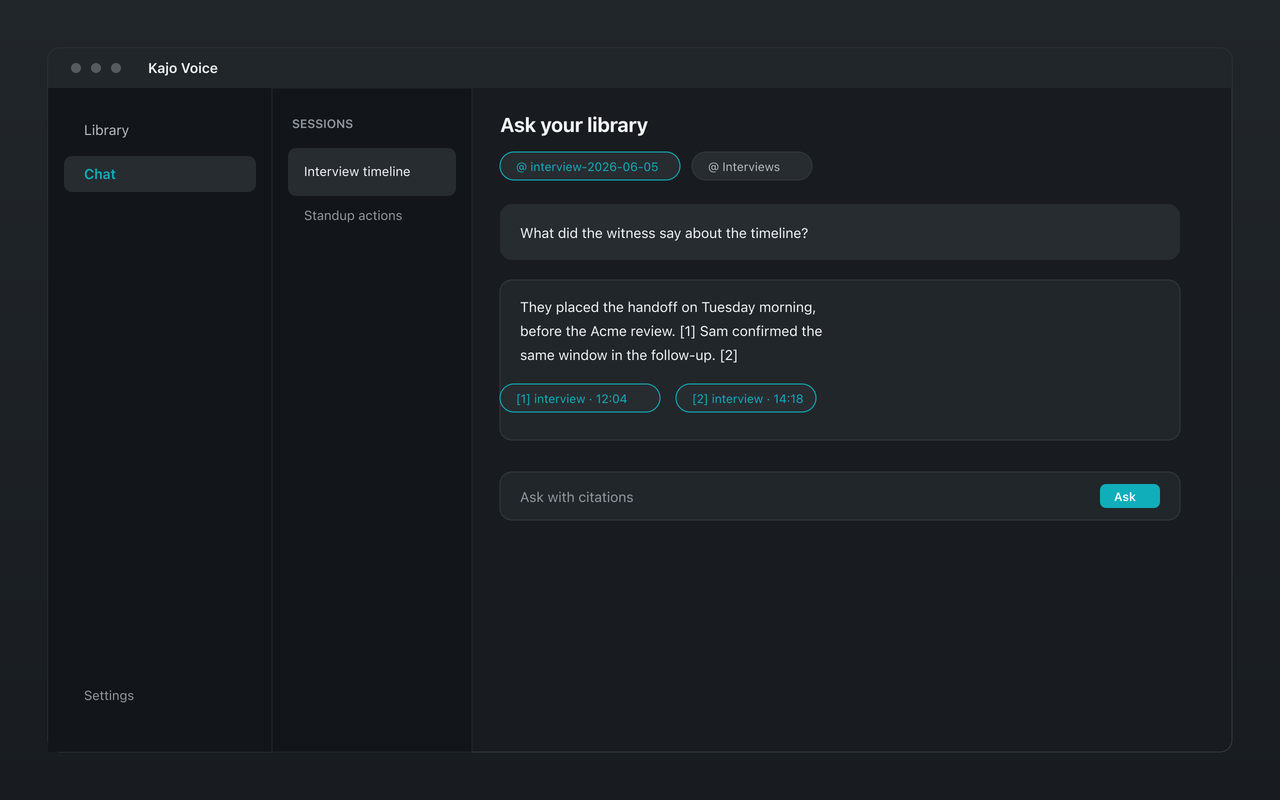
Rev meters minutes and seats in its cloud. Kajo transcribes on your own machine, keeps every recording in a private library, and answers with citations — no per-minute bill.
Why people choose Kajo over Rev
-
No per-minute or per-seat bills
-
Audio never leaves your machine
-
Cited answers with checked quotes
-
Works offline
-
Free tier to start
-
Your installed version keeps working
Kajo vs Rev: side by side
| Feature | Kajo | Rev |
|---|---|---|
| Where audio is processed | On your machine | Rev's cloud |
| Human transcription | No — on-device AI only | $1.99 per audio minute |
| AI transcription plans | Free, then $49 launch / $99 standard — no meter | Free 45 AI minutes/month; Essentials $29.99/seat/month ($25.49 billed annually); Pro $59.99/seat/month ($47.99 billed annually) |
| Cited chat across files | Yes — on your machine | Yes (cloud) — Rev AI Assistant |
| Caption export (SRT/VTT) | Yes | Yes |
| Works offline | Yes | No |
Three reasons Kajo exists
-
Local-first / private by default
Your audio never leaves your laptop.
Audio is transcribed on-device — there is no cloud-processing path. Private by architecture.
-
Cross-platform, including Linux
Mac, Windows, and Linux — one product, three operating systems.
Native installers for all three. Linux is a first-class target, not a port — the only local audio knowledge base that takes it seriously.
-
Cited chat
Ask questions across your archive — get cited answers.
Chat with your entire library using a local model. Every answer links back to the exact moment in the recording — no copy/paste.
Frequently asked questions
Is Kajo as accurate as Rev's human transcription?
No software matches a careful human transcriptionist on every file, and Rev's human service exists for that reason. Kajo runs one on-device model — named on the What runs on your machine page — and lets you fix stubborn names once with inline edits. If you need a certified human transcript for court, Rev's human service is the right tool; for every step before that, Kajo keeps the audio private.
Does Kajo upload my files to transcribe?
No. Transcription runs on your Mac, Windows, or Linux machine — and so do translation, summaries, and chat. Nothing is sent to a cloud service; there is no cloud-processing path.
Rev has an AI Assistant now — how is Kajo different?
Rev's AI Assistant: Cited answers across all your files, in Rev's cloud. Kajo does the same job on your machine, scoped to the folder you are in, and drops any quote it cannot find in the transcript.
What about captions for video?
Kajo exports SRT and VTT (and bilingual variants after translation) from your own machine — no per-minute billing.