Compare
Kajo vs TurboScribe
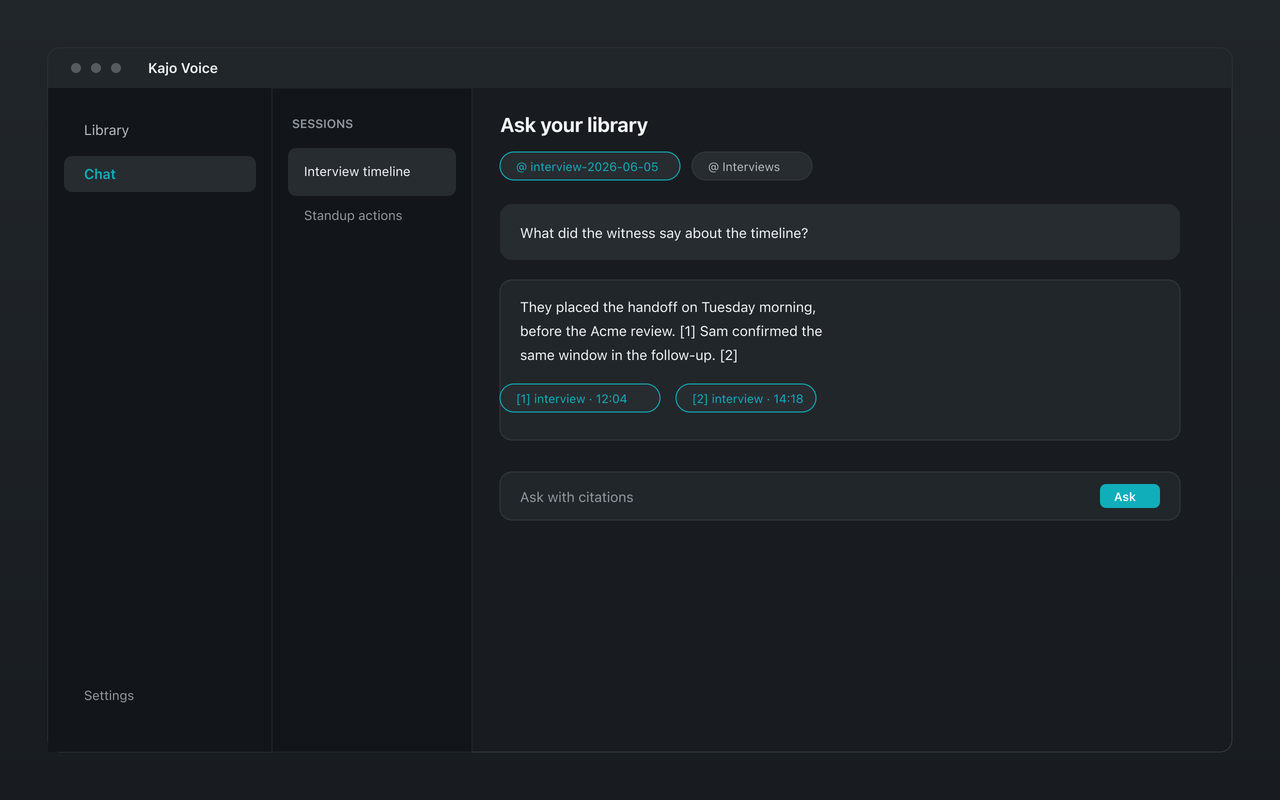
TurboScribe is a web-only cloud transcriber: your audio uploads to its servers, transcripts stay in your account, and chat happens outside the product through its ChatGPT integration. Kajo transcribes on your own machine, files every recording into a private library, and answers with citations over a folder — or, with a confirm, the whole library — inside the app. Your audio never uploads. One $49 purchase unlocks unlimited imports and Lifetime convenience (watch folders, batch export) — one payment, no subscription.
TurboScribe transcribes in the cloud and keeps your files there. Kajo transcribes on your machine and turns every recording into a searchable, cited library — no upload.
Why people choose Kajo over TurboScribe
-
Your audio never uploads
-
A library, not a download folder
-
Cited chat inside the app
-
One purchase, no monthly plan
-
Works offline
-
Your installed version keeps working
Kajo vs TurboScribe: side by side
| Feature | Kajo | TurboScribe |
|---|---|---|
| Where audio is processed | On your machine | TurboScribe's cloud |
| Free tier | 5 files or 150 minutes of audio — total, for life | 3 transcripts per day, 30-minute uploads, one file at a time |
| Paid | $49 launch / $99 standard, one-time | Unlimited: $20/month billed monthly; $10/month billed yearly |
| Chat with transcripts | Yes — on your machine, with citations | Via TurboScribe GPT inside ChatGPT |
| Platforms | macOS, Windows, Linux | Web app only — no desktop or mobile apps |
Three reasons Kajo exists
-
Local-first / private by default
Your audio never leaves your laptop.
Audio is transcribed on-device — there is no cloud-processing path. Private by architecture.
-
Cross-platform, including Linux
Mac, Windows, and Linux — one product, three operating systems.
Native installers for all three. Linux is a first-class target, not a port — the only local audio knowledge base that takes it seriously.
-
Cited chat
Ask questions across your archive — get cited answers.
Chat with your entire library using a local model. Every answer links back to the exact moment in the recording — no copy/paste.
Frequently asked questions
Can I move my TurboScribe transcripts into Kajo?
Bring the original recordings: Kajo imports audio and video files and transcribes them on your machine. It does not import TurboScribe's TXT, SRT, or DOCX exports.
Is Kajo really unlimited?
After one $49 purchase there is no daily transcript cap and no minute meter: unlimited imports and Lifetime convenience (watch folders, batch export). The Free tier covers 5 files or 150 minutes of audio — total, for life.
Does Kajo upload my audio like TurboScribe?
No. Transcription runs on your device — and so do translation, summaries, and chat. Kajo never sends audio or transcript text to a cloud service; there is no cloud-processing path.
Can I chat with my transcripts like TurboScribe GPT?
TurboScribe's chat: Chat with all transcripts inside ChatGPT via "TurboScribe GPT", free; no chat inside TurboScribe itself. Kajo's chat runs inside the app on your machine, scoped to a folder, with every answer cited to the timestamp.