Kajo for Therapists

Session notes that never
leave the room.

Kajo transcribes therapy and counseling sessions on your own device — no audio upload, no cloud vendor, no third-party copy of what a client told you in confidence. Then it helps you turn the transcript into a progress note in minutes.

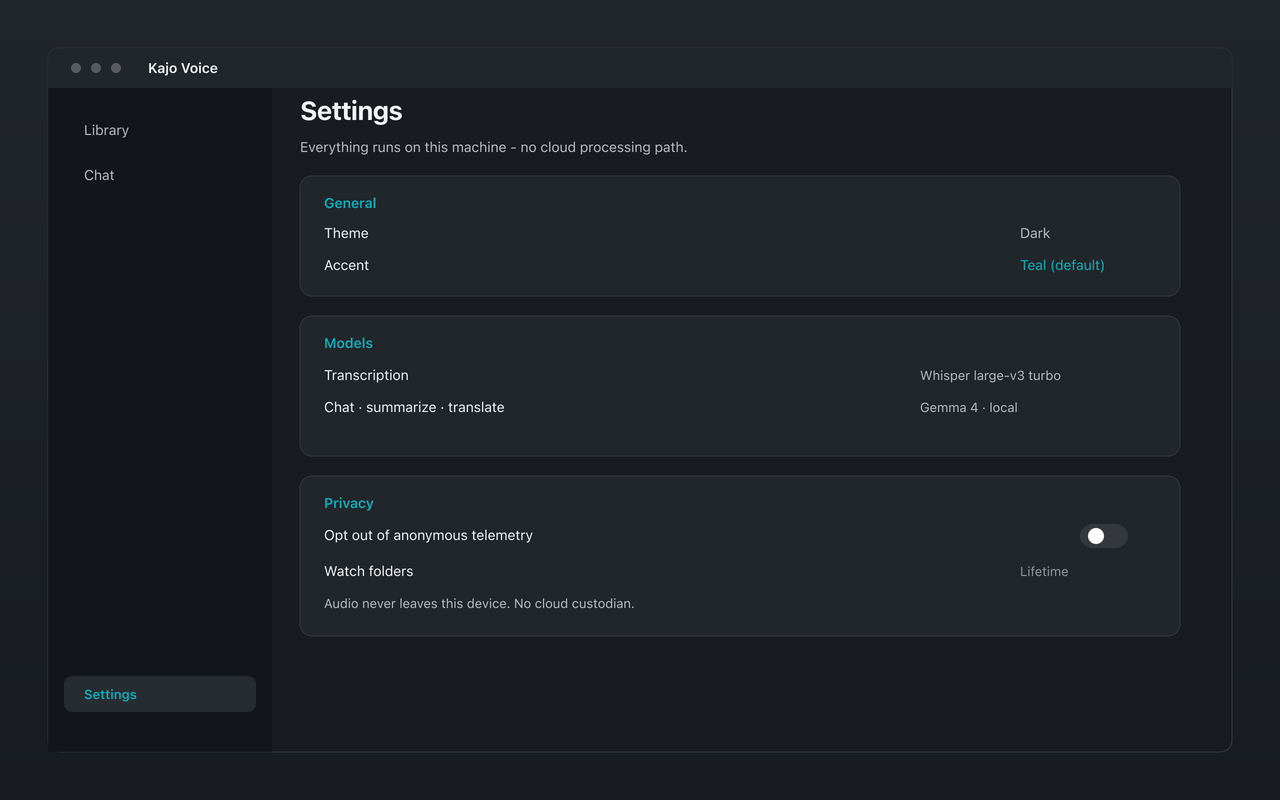
Kajo Voice session privacy settings
Transcribe on the device you already secure — no cloud session store.

Clinical supervisors reviewing trainee tapes, and executive and leadership coaches under contractual confidentiality, run the same folder-per-client loop. Kajo is not a coaching product and not for practitioners who do not already record.

The jobs

Consent, then import into a client-code folder

Documented consent comes first; the import step asks you to attest it every time. Drop in the session or telehealth export, file it under a client code, and transcribe on-device. The session never leaves the machine.

Draft the note from this session

Summarize this recording into an editable draft. You review every sentence; every summary carries a review-required line, and the model refuses diagnoses and treatment plans. Exporting to your records system is your step, on your machine.

Brief the next session

The hour before you sit down again: what did we say we would try last month, when did sleep first come up. One page, folder-scoped, every bullet cited, in session order by recording date.

Themes across recent sessions

Ask for themes across the last six sessions for this person: counts of sessions, quotes, quiet spots, in date order. Longitudinal work is the chat job; the one-session job is the note above.

Attribute with care, then stop

Rename client and practitioner after speaker detection so chat never says 'the client said' when the words were yours. Kajo does not take sides, flag risk, or judge. Delete a client file the same way researchers erase a participant.

Executive and leadership coaches run the same folder-per-client loop under contractual confidentiality rather than HIPAA — the next-session brief and themes across sessions, never a coaching feature.

Why on-device matters for a therapy practice

A therapy session is one of the most sensitive recordings a person will ever make. Most AI transcription and note-taking products work by uploading that audio to a cloud server, running it through a hosted model, and storing the result on infrastructure you do not control. For a practitioner handling protected health information, that upload is the whole problem: it creates a copy of a confidential session on someone else’s hardware, governed by someone else’s retention policy, reachable by someone else’s subpoena.

Kajo removes the upload entirely. Transcription runs directly on your Mac, Windows, or Linux machine. Translation, summaries, and the chat assistant all run against the same on-device Gemma 4 model. There is no “process in the cloud” toggle to forget to switch off, because there is no cloud-processing path in the product at all. The audio, the transcript, and the AI-written note all stay in an encrypted library on the machine in your office.

That is a simpler compliance story to defend. When protected health information never leaves your device, there is no transcription vendor in the chain that would need a Business Associate Agreement for that step, no data-residency region to configure, and no breach-notification exposure tied to a processor you onboarded. Kajo is a tool rather than a compliance program — you still own your obligations — but it is built so the easiest path is also the private one.

Built for session confidentiality

Session audio stays on your device

Kajo transcribes on-device. No audio, transcript, or summary is uploaded. The recording of what a client shared in confidence stays on the hardware you already control — there is no third-party custodian.

Progress notes in minutes

Kajo drafts the note you write from the session — a structured summary of the transcript from the local model. You review every sentence — review before this leaves this machine — but the blank-page time after a long day of sessions largely goes away.

Lifetime convenience surfaces

Lifetime unlocks unlimited imports plus watch folders and batch export. Per-file transcript export is available on Free within the allowance. For product information your records need, contact privacy@kajovoice.com.

Privacy by architecture

Audio and transcripts never leave the device — there is no cloud-processing path. Point a supervisor or privacy-conscious client to /trust and /security, or request a privacy attestation via privacy@kajovoice.com after Lifetime purchase.

Kajo vs cloud AI note-takers for therapists

Consideration Kajo Cloud AI note-taker
Session audio uploaded to a server Never — on-device Yes
Third-party copy of the session None Stored by the vendor
Works fully offline
Batch export ✅ Lifetime Vendor-held, if any
Privacy by architecture (no cloud path)
One-time payment (no subscription) ✅ $49 once

Setting up Kajo for your practice

  1. Download Kajo for Mac, Windows, or Linux at /download — free, no account required.

  2. Unlock Lifetime ($49 one-time) for watch folders and batch export.

  3. With explicit client consent, import the session recording (or a telehealth export) — Kajo transcribes on-device; audio never uploads.

  4. Review the on-device draft note and export the progress note to your EHR or a secured local folder. Use per-file export from the Library, or batch export with Lifetime.

Recording a session — even just for a transcript — changes the room, so it should always be an explicit, documented conversation with the client, not a default. Kajo is built to make that conversation easier to have honestly: you can tell a client, truthfully, that the recording never leaves the computer in your office, that no company is listening to or training on their words, and that you can delete the session and its transcript permanently at any time. For practitioners who work with trauma, immigration, or other high-stakes material, that on-device guarantee is not a nice-to-have — it is the difference between being able to use AI assistance at all and having to write every note by hand. Kajo keeps the clinician in the loop on every note and keeps the data on the device you already secure.

Three reasons private practices choose Kajo

  1. Local-first / private by default

    Your audio never leaves your laptop.

    Audio is transcribed on-device — there is no cloud-processing path. Private by architecture.

  2. Cross-platform, including Linux

    Mac, Windows, and Linux — one product, three operating systems.

    Native installers for all three. Linux is a first-class target, not a port — the only local audio knowledge base that takes it seriously.

  3. Cited chat

    Ask questions across your archive — get cited answers.

    Chat with your entire library using a local model. Every answer links back to the exact moment in the recording — no copy/paste.

Free

5 files or 150 minutes of audio — total, for life. Core loop (transcribe, translate, summarize, chat), no card, no upload.

  • Transcribes 98 languages on your laptop — all on-device.
  • On-device translation and summaries — no cloud-processing path
  • Private searchable library — full-text + semantic search
  • Folder organization
  • Cited chat across your archive
  • Per-file export (SRT/VTT/TXT/MD/DOCX/PDF/QDPX and more)
  • Mac, Windows, and Linux

Lifetime — $49 once

  • Unlimited files and minutes
  • Unlimited retrieval index
  • Watch folders — auto-import new recordings
  • Batch export
  • Up to 3 machines at once

Your installed version keeps working forever.

Frequently asked questions

Does Kajo keep therapy session audio private?

Yes. Kajo Voice transcribes session audio entirely on your own Mac, Windows, or Linux machine. No audio, transcript, or summary is uploaded to any server. There is no cloud processing path to opt out of — it does not exist by construction.

Can Kajo help me meet my HIPAA obligations?

Kajo is a tool, not a compliance program, and it is not sold as a certified medical device. Because transcription, translation, summaries, and chat all run on-device, protected health information never reaches a third-party processor — so there is no transcription vendor that would need a Business Associate Agreement for that step. That keeps the data-custody story simple. Confirm your full workflow with your own compliance advisor.

Can I export session transcripts securely?

Yes. Per-file export from the Library is available on Free within the allowance; Lifetime unlocks batch export. Your recordings and transcripts stay on your device under your control — delete any session from the Library at any time. Your own retention, backup, and EHR filing remain your responsibility — contact privacy@kajovoice.com for product information your records need.

Is there an audit trail for my records?

Kajo does not ship a compliance audit log. Your recordings and transcripts stay on your device under your control — delete any session from the Library at any time. Per-file export from the Library is available on Free within the allowance; Lifetime unlocks batch export. Your own retention, backup, and EHR filing remain your responsibility — contact privacy@kajovoice.com for product information your records need.

Confidentiality starts with where the data lives.

Download free. Session audio stays on your machine — review before anything leaves it.