What you can actually do with it
Semi-structured interviews
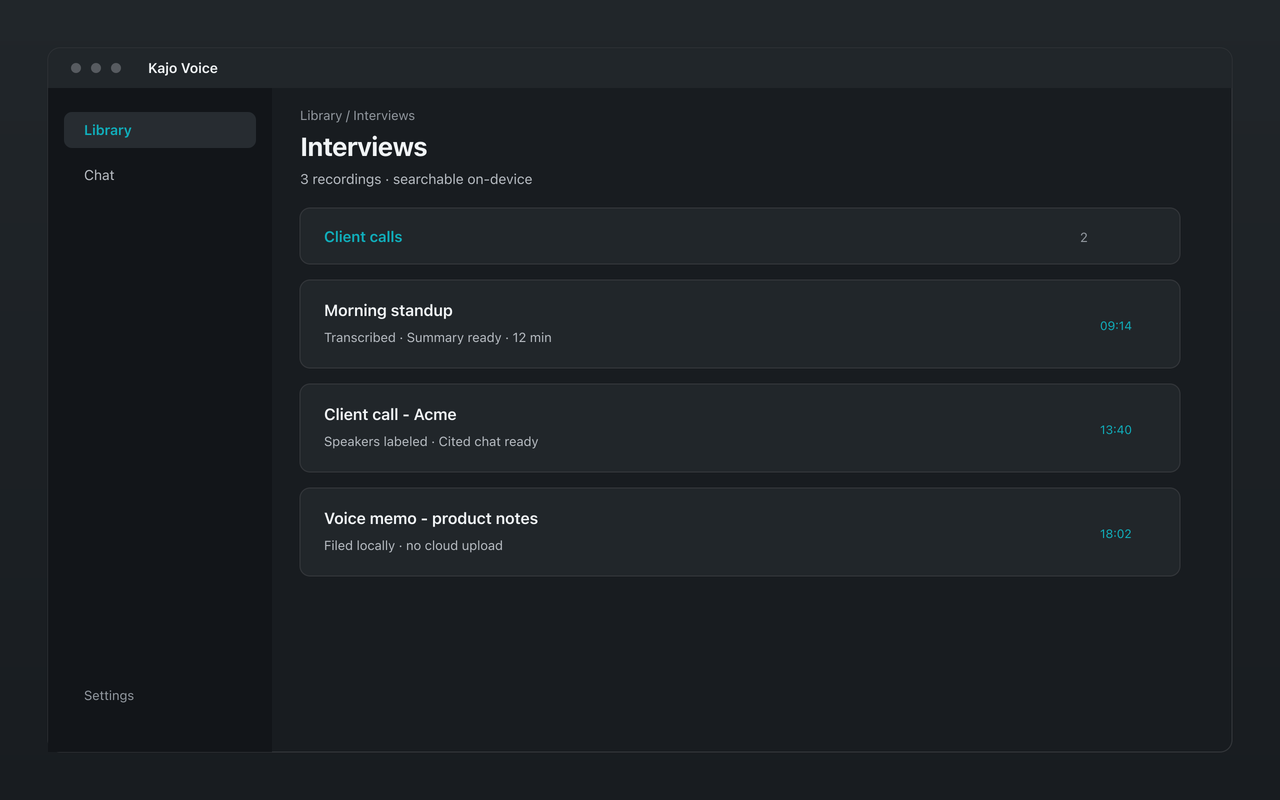
Import in-person and remote interview recordings. Transcripts stay on your laptop — ready for coding without a cloud upload.
Qualitative coding
Export transcripts to NVivo, Atlas.ti, or MAXQDA. Or stay in Kajo: file by folder, search the corpus, and ask cited chat for themes.
Fieldwork notes
Import field recordings from your recorder. Audio is transcribed on your laptop — no cloud round-trip to Otter while you are in a participant’s home.
UX usability sessions
Import think-aloud session recordings, file them by study folder, and ask cited chat to surface friction moments across the corpus.
Expert interviews for market research
Import a 60-minute expert call, transcribe on-device, file by competitor or segment, and build the report from quotes you can cite verbatim.
A research workflow that stays local
-
Open Kajo and drop in your interview recording; name it with the participant ID. Audio is transcribed locally.
-
Transcription runs on your laptop. No upload.
-
Put the recording in a study folder. Folders are the org axis — drill in, search within a project, keep fieldwork tidy without a cloud repository.
-
Open Chat in Kajo and ask “What did participants say about trust?” — pin the study folder as scope; every answer cites verbatim quotes from your transcripts.
-
Export transcripts as plain text, JSON, CSV, or QDPX for NVivo / Atlas.ti / MAXQDA — or keep working in Kajo with search and cited chat.
IRB / Ethics
Kajo’s architecture aligns with how research ethics boards already think about data-handling: audio is captured and processed on the researcher’s hardware, transcripts are stored at rest on that same hardware, and no third-party SaaS is involved — audio never leaves the device.
Storage and retention. Every capture is a file on your disk. Your IRB protocol’s retention policy is enforced by you, not by a vendor’s deletion API. Delete a participant’s recording from the Library — that removes the transcript, the search index, and the chats that only used that recording. The original audio file on disk stays where it is; remove it yourself when your protocol says so.
Right to erasure. Participants who withdraw consent: you delete their file. No cloud delay, no “we will purge from backups within 30 days” footnote. The data is on your laptop; it goes when you put it in the trash — the original file on disk is yours to remove.
Export and portability. Per-file export (TXT, JSON, CSV, DOCX, MD, PDF, QDPX, and more) is available on Free within the allowance. Lifetime unlocks batch export when you need to ship many transcripts at once. There is no separate cloud export API — your corpus stays on your laptop.
Sample IRB language. Email hello@kajovoice.com and we will send a paragraph you can drop into your protocol describing Kajo’s data flow. We are not lawyers; your IRB chair is.
Tool stack
| Stage | Tool | What it does |
|---|---|---|
| Capture | Kajo desktop | macOS, Windows, Linux. On-device ASR. |
| Query | Kajo cited chat | Built-in local model. Ask cross-corpus questions about your participant data with source citations. |
| Coding suite | NVivo / Atlas.ti / MAXQDA | Export QDPX, TXT, or DOCX from Kajo; code and cite in your CAQDAS tool. |