Built for client work
File by engagement, not by inbox
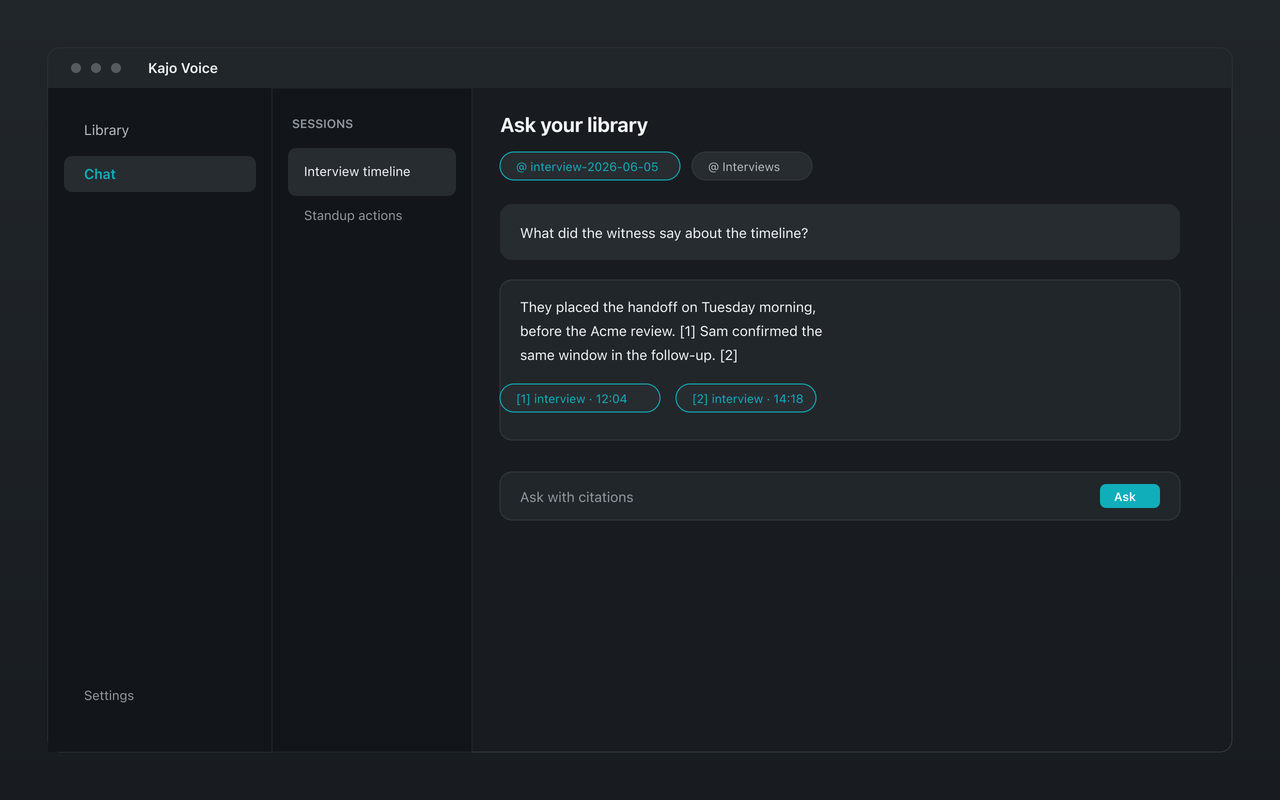
Folders are the confidential unit. One client, one study, one workstream — one folder. New chats pin the folder you are standing in. Answers come from recordings in that folder only.
Cited quotes you can paste
Ask for the quote, the contradiction, or a short brief. Export the answer with its quote list to Markdown or DOCX — or paste the cited answer into the memo.
Never mix clients by accident
Empty pins do not mean the whole library. Searching the entire archive is an explicit “Search entire library…” confirm. That is the mixing-clients failure mode, and it is opt-in.
On-device, including Linux
Transcription, translation, summaries, and cited chat run locally on Mac, Windows, and Linux. There is no cloud transcription marketplace in the custody chain.
Kajo vs cloud meeting notebooks for consultants
| Feature | Kajo | Otter / Fireflies |
|---|---|---|
| On-device (no audio upload) | ✅ | ❌ |
| Folder-scoped cited chat | ✅ | Shared notebook |
| Explicit whole-library confirm | ✅ | Default is everything |
| Joins the call as a bot | ❌ Never — import recordings you already have | Fireflies: by default; Otter: on paid plans |
| Cited chat | ✅ On your machine | Yes (cloud) — AskFred, Otter AI Chat |
| One-time payment | ✅ $49 | ❌ |
Kajo is not Otter. See /compare/otter.
A consultant workflow that stays local
-
Download Kajo for Mac, Windows, or Linux — free, no account required for the free allowance.
-
Create a folder per client or engagement. Import the recording into that folder.
-
Transcribe on-device. Name speakers if the roster still says Speaker 1.
-
Ask this folder — themes, the quote, a brief, who contradicted whom. Copy the cited answer into the memo.
-
When the engagement ends, delete the recordings you should not keep. Exclusive chats go with them. The original file on disk is not unlinked.