Compare
Kajo vs Screenpipe
Screenpipe is a local, source-available lifelogger: it captures your screen and audio around the clock, keeps the log on your machine (cloud sync on Business), and lets you query it through your own AI tools. Kajo is local too, but curated: you import the recordings that matter, they are transcribed and summarised on your machine, and you ask a folder — or, with a confirm, the whole library — with cited answers inside the app. One $49 purchase unlocks unlimited imports and Lifetime convenience (watch folders, batch export) — one payment, no subscription.
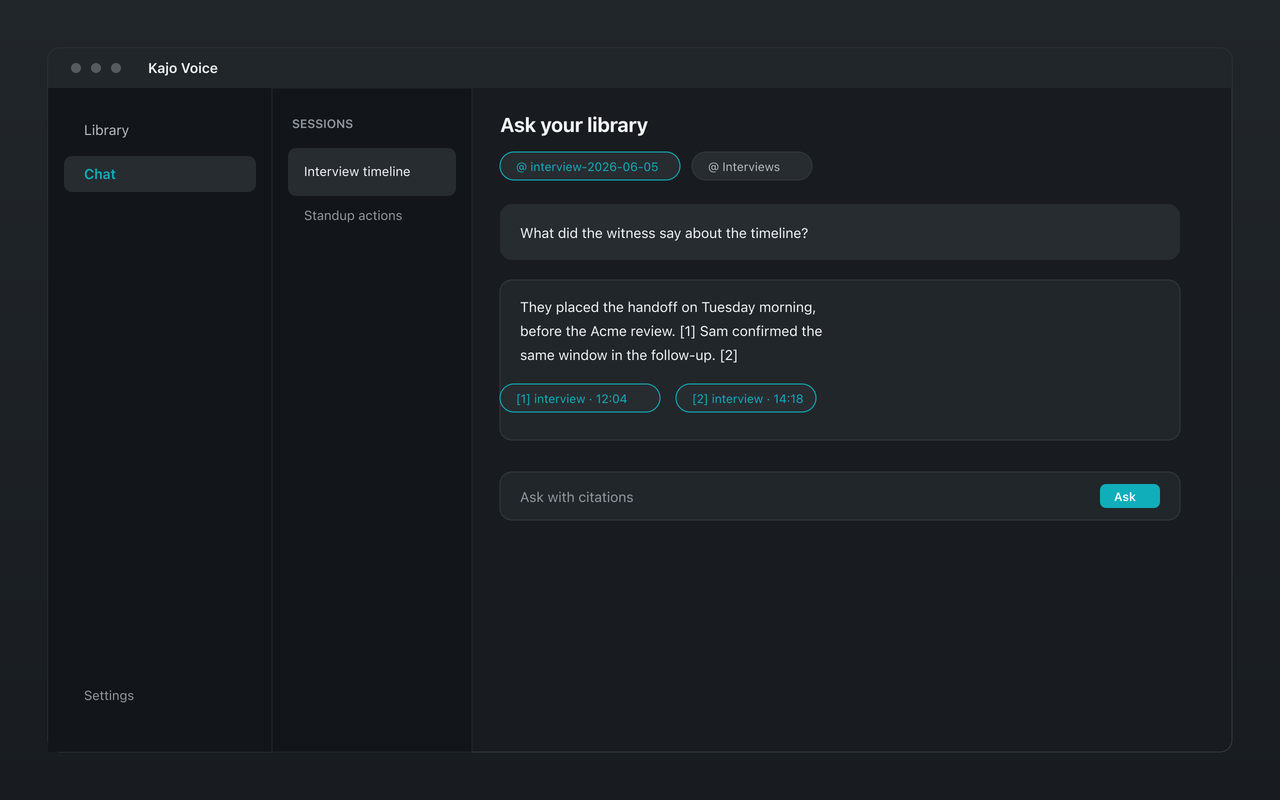
Screenpipe records everything, all day. Kajo keeps only what you import — a curated library of your real recordings, answered with citations.
Why people choose Kajo over Screenpipe
-
You choose what goes in
-
Audio-native, with speaker labels
-
Cited answers inside the app
-
Both stay on your machine
-
No screen capture at all
-
Your installed version keeps working
Kajo vs Screenpipe: side by side
| Feature | Kajo | Screenpipe |
|---|---|---|
| Capture model | Import the recordings you choose | Continuous screen and audio |
| Where data lives | On your machine | On your machine (cloud sync on Business) |
| Chat | Yes — on your machine, with citations | Through your own AI tools |
| Plans | Free, then $49 launch / $99 standard | Free; Basic $21/month; Business $42/seat/month |
| Licence | Commercial, one-time purchase | Source-available (Screenpipe Commercial License); free for personal use |
Three reasons Kajo exists
-
Local-first / private by default
Your audio never leaves your laptop.
Audio is transcribed on-device — there is no cloud-processing path. Private by architecture.
-
Cross-platform, including Linux
Mac, Windows, and Linux — one product, three operating systems.
Native installers for all three. Linux is a first-class target, not a port — the only local audio knowledge base that takes it seriously.
-
Cited chat
Ask questions across your archive — get cited answers.
Chat with your entire library using a local model. Every answer links back to the exact moment in the recording — no copy/paste.
Frequently asked questions
How is Kajo different from Screenpipe?
Both are local. Screenpipe is a 24/7 lifelogger that captures your screen and audio continuously. Kajo is a curated audio knowledge base: you import the recordings that matter and get a searchable library with cited chat — not a capture log.
Does Kajo record my screen or microphone?
No. Kajo has no capture at all — not screen, not microphone. It works on audio and video files you import.
Is Kajo open about what runs locally?
Yes — the What runs on your machine page names every model. Transcription, translation, summaries, and chat all run on-device, with no cloud-processing path.