The transcription software market has split into two fundamentally different architectures: local AI that runs on your device, and cloud services that process your audio on remote servers. Each model has genuine advantages and real tradeoffs.
This guide lays out the complete comparison without overselling either approach.
What “local AI transcription” means
Local AI transcription means the speech-to-text model runs entirely on your own computer — not on a remote server. Your audio goes into a program on your machine, an AI model on that same machine processes it, and a text transcript comes out. At no point does your audio leave your computer.
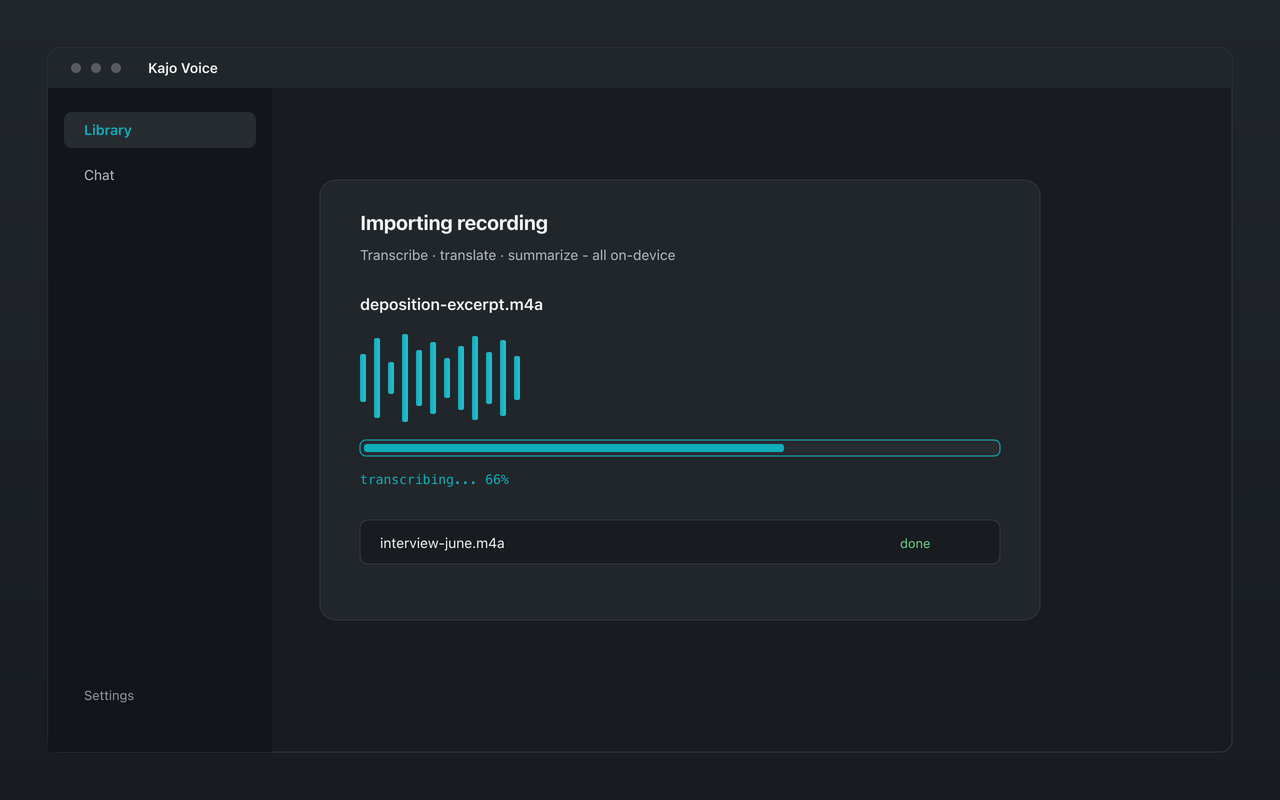
That became practical once open-weight speech models good enough for professional work could run on a laptop. Kajo Voice wraps one such model in a desktop app — no Python, no terminal — with GPU acceleration on Apple Silicon and CPU inference on Windows and Linux.
How local transcription works
Local transcription software downloads its models to your machine once, then runs inference entirely on your CPU or GPU. When you transcribe an audio or video file you already have:
- The audio file is read from your device
- The AI model processes it locally — on your CPU or GPU
- The transcript is written to local storage
- No network request carries audio or text at any point during transcription
The initial model download needs the internet — ≈2.2 GB of models before your first transcript (≈2.5 GB on macOS); ≈9 GB in total once the chat model finishes downloading in the background. Download once — everything runs offline afterwards. Apple Silicon runs the model with GPU acceleration; CPU-only machines take longer but produce the same transcript.
Representative products: Kajo Voice, faster-whisper (CLI), whisper.cpp (CLI)
How cloud transcription works
Cloud transcription services operate a different way:
- Your audio is uploaded to the service’s servers (compressed or uncompressed, depending on implementation)
- The audio is queued and processed on their GPU infrastructure
- The transcript is transmitted back over the network
- The service retains the audio (and often the transcript) according to their data retention policies
Representative products: Otter.ai, Fireflies.ai, Notta, AssemblyAI, Google Speech-to-Text, Azure Cognitive Services
The privacy comparison
This is where the architectural difference matters most.
Local transcription:
- Audio never leaves your device
- No third-party vendor receives your audio data
- Transcripts stored locally in an encrypted database
- Compliance surface area is minimal — there is no third-party processor for the transcription step at all
- GDPR/CCPA analysis is simple: data doesn’t leave your machine
Cloud transcription:
- Audio is uploaded to vendor servers
- The vendor’s data retention policies determine how long audio is kept
- Vendor employees, contractors, and AI training pipelines may access audio — Otter’s privacy policy says it Trains its own AI on de-identified recordings and transcripts; the policy lists no opt-out
- A data breach at the vendor exposes your audio
- A data processing agreement is required; attorney-client privilege analysis is required for legal content
The privacy gap is fundamental, not a matter of degree. If your audio contains anything you wouldn’t be comfortable with a third party holding — client conversations, privileged communications, confidential business strategy — cloud transcription creates ongoing exposure.
The accuracy comparison
In 2026 the open-weight model Kajo runs is the same class of model behind many cloud services; on clean audio, accuracy is not the deciding factor.
Where accuracy is comparable:
- Clean, single-speaker English audio
- Professional-quality recording equipment
- Standard English vocabulary
Where local has the edge:
- 98 languages in one model
- Inline correction that re-indexes your chat instead of re-uploading
- Nothing ever leaves the device, so the hard files get transcribed at all
Where cloud services can have advantages:
- Real-time streaming with very low latency (cloud GPU clusters minimize processing delay)
- Heavy background-noise suppression (some services have invested heavily in noise-robust preprocessing)
- Extremely short audio clips, where a local model’s startup overhead matters
For the vast majority of professional use cases — interviews, depositions, expert calls, session recordings, field tape — accuracy differences between a current open-weight model and major cloud services are small. The choice shouldn’t hinge primarily on accuracy; measure it on your own audio with the free allowance.
The cost comparison
Cloud transcription cost model:
- Monthly subscription (per user)
- OR per-minute usage fees
- Ongoing cost regardless of usage volume
Local transcription cost model (Kajo):
- Free — the core loop within 5 files or 150 minutes of audio, total for life
- Lifetime — one payment ($49 launch / $99 standard) unlocks unlimited imports and Lifetime convenience (watch folders, batch export)
For anyone who uses transcription regularly, local transcription has dramatically better long-term economics. A one-time Lifetime purchase against Otter Pro at $16.99/user/month billed monthly ($8.33/user/month billed annually) pays for itself within the year, then transcription is effectively free indefinitely.
For API usage, per-hour fees add up at volume: AssemblyAI lists $0.21 per audio hour (Universal-3.5 Pro); $0.15 per audio hour (Universal-2), so someone processing 200 hours a month pays about $42/month on the Pro model — a one-time Lifetime purchase is cheaper by the third month.
The offline and reliability comparison
Cloud transcription:
- Requires internet connectivity for every transcription
- Subject to service outages
- Transcription fails if the vendor has downtime or capacity issues
- Latency depends on network speed
Local transcription:
- Works fully offline after the model download
- No dependency on external service availability
- Performance is deterministic — your hardware is your hardware
- No queuing or rate limits
For users in locations with unreliable internet, or who work in air-gapped environments (secure research sites, confidential client work), local transcription is not optional — it’s the only viable architecture.
The compliance comparison
| Regulation | Cloud transcription | Local transcription (Kajo) |
|---|---|---|
| GDPR | Data Processing Agreement required | Simpler — data doesn’t leave the device |
| Attorney-client privilege | Risk of a waiver argument from a third-party custodian | No third-party custodian — audio never leaves your device |
| IRB protocol | May conflict; requires disclosure | Audio stays in the research environment |
For regulated work, local transcription’s compliance profile is simpler by default. There’s no third-party processor to negotiate a data processing agreement with, and no vendor’s security posture to audit for the transcription step — recordings never leave the device.
The integration comparison
Cloud services generally have richer pre-built integrations: Salesforce, HubSpot, Slack, Notion connectors built into the product. If you want transcripts to automatically flow into your CRM without any configuration, cloud services have an advantage.
Kajo Voice is a self-contained desktop app: import or watch folders (Lifetime), transcribe on-device, then search and chat across your private library — no external automation layer required, and none offered.
Who should choose local transcription
- Anyone handling sensitive, confidential, or regulated audio (research, legal, journalism, consulting, therapy)
- Anyone who transcribes at volume (the per-minute meter adds up)
- Anyone who works offline or in low-connectivity environments
- Multilingual users, especially those working with non-English or dialect content
Who should choose cloud transcription
- Teams needing real-time streaming transcription with minimal latency
- Organizations needing deep CRM/productivity integrations out of the box
- Users who handle only non-sensitive content and prioritize simplicity over privacy
Setup and day-to-day use
Cloud services win on absolute first-use simplicity — open a browser, upload, done. Local tools historically required Python and a terminal. Kajo closes most of that gap: install the desktop app, download the models once (≈2.2 GB before your first transcript, ≈9 GB in total), then drag in files. Still slightly more involved than a web app, but no command-line setup.
Choose local (Kajo) if you handle sensitive or regulated audio, need offline capability, transcribe at volume, work multilingual, or want a searchable library with cited on-device chat. Choose cloud if privacy is not a constraint, you need live meeting-bot captions for Zoom or Teams, or you only transcribe occasionally and prefer zero install.
Kajo’s built-in cited chat lets you ask questions across a folder — or, with a confirm, your whole archive — and get answers linked back to the source recordings: local-first transcription plus on-device AI, with no cloud path for your audio.