“Free” in software almost always means free with conditions: a usage cap, missing features, or data monetization. Transcription is no exception — and for a lot of people the first condition is the one that matters: the audio cannot be uploaded. A privileged client call, an interview under an IRB protocol, a source who spoke off the record, a session recording — none of it can go to a cloud free tier, however generous the minutes.
This guide surveys what is actually free and keeps the audio on your machine, what each option leaves out, and when paying once makes sense.
The free options that keep audio local
Kajo Voice Free
Kajo Voice’s free tier is a deliberately small trial of the whole loop — transcribe, speaker labels, translate, summarize, cited chat — on your own machine, with no account and no upload. It covers 5 files or 150 minutes of audio, total, for life, whichever comes first. The limitation is volume, not quality: the same engine runs on Free and on Lifetime.
What it includes: 5 files or 150 minutes of audio — total, for life. Core loop (transcribe, translate, summarize, chat), no card, no upload. Per-file export in SRT, VTT, TXT, CSV, JSON, Markdown, DOCX, PDF, and QDPX. Limitations: the allowance, plus a 50-entry cap on the chat index; watch folders and batch export stay off. A 16 GB machine and a one-time model download: ≈2.2 GB of models before your first transcript (≈2.5 GB on macOS); ≈9 GB in total once the chat model finishes downloading in the background. Download once — everything runs offline afterwards. Then: one payment ($49 launch / $99 standard) unlocks unlimited imports and Lifetime convenience (watch folders, batch export).
Running the open-weight model yourself (Python or a terminal)
The speech model Kajo runs is open-weight; you can run it from a terminal for free (see the engine guide).
What it includes: unlimited use, 98 languages, offline. Limitations: Python or command-line setup, no interface, no library, no speaker labels, no cited chat, no exports without extra scripting.
Local desktop apps with free tiers
- MacWhisper (macOS only) has a free version for one-off transcripts; Pro is €64 one-time, direct from the developer.
- Superwhisper (Mac, Windows, iOS) is dictation at the cursor; its free tier runs local models without limit, and Pro adds file transcription — $8.49/month; $84.99/year; $249.99 lifetime.
- Spokenly (macOS, Windows, Linux, iOS) is also dictation-first: Free with unlimited local models; Pro $9.99/month or $99.99/year.
All three keep audio local. None keeps a library you can ask with citations; the dictation tools are built for typing, not for an archive.
oTranscribe (web, manual)
oTranscribe is a free web tool for transcribing by hand — it slows the audio down and gives you keyboard shortcuts to pause and rewind while you type. It is not AI transcription, and it does not upload your file.
What it includes: free, no account, helpful for manual transcription. Limitations: you type everything yourself.
The cloud counter-example: Otter.ai Basic
Otter’s free plan is built for live meetings, not for recordings you already have: 300 minutes/month, 30 minutes per conversation, 3 lifetime audio/video file imports, AI Chat 20 queries/month. Three file imports for the life of the account is useless for an archive, and the audio is processed on Otter’s servers — where, per its privacy policy, Otter Trains its own AI on de-identified recordings and transcripts; the policy lists no opt-out.
The hidden costs of free transcription tools
Your audio data. Many free cloud services reserve the right to use your audio to improve their models. Kajo Free processes audio locally — your recordings are never transmitted to or stored by Kajo.
Your time. If the free tool you use today needs heavy correction, run one real file through Kajo’s free allowance and compare the edit time yourself. That is a better benchmark than any accuracy claim.
Workflow limitations. Free tiers often lack subtitle export, speaker labels, or any way to search across everything you have transcribed. The “free” tool may work for the first use case and fail for the second.
When free is enough
- You stay within the allowance (5 files or 150 minutes total, for life)
- You do not need subtitle export, speaker labels, or search across your archive
- You are evaluating whether on-device transcription fits your accents, microphones, and languages
For occasional needs, Kajo Free or a manual tool covers it without cost.
When to pay once
Volume exceeds the free allowance. If you need more than 5 files or 150 minutes total, one payment ($49 launch / $99 standard) unlocks unlimited imports and Lifetime convenience (watch folders, batch export) — there is no recurring bill.
Privacy matters. If the audio contains anything sensitive — client conversations, confidential business information, legal discussions, source interviews — local processing is not a luxury, it is a professional requirement. The free tier of a cloud service is not appropriate for sensitive audio regardless of cost.
You need subtitle or interchange files at volume. SRT/VTT, DOCX, and QDPX export work on Free within the allowance; documentary makers and researchers who outgrow it unlock unlimited imports with one payment.
Kajo’s pricing tiers
| Tier | Price | Best for |
|---|---|---|
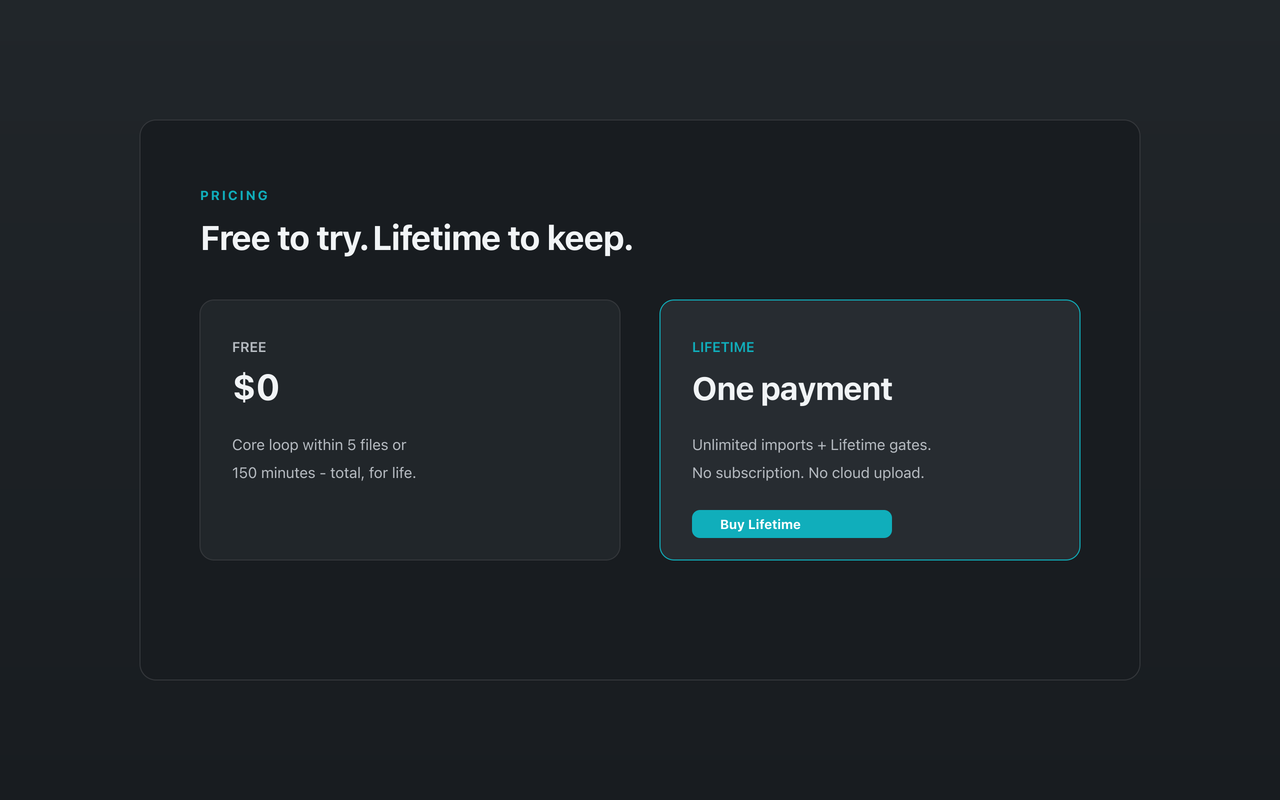
| Free | $0 | Occasional use — the core loop within 5 files or 150 minutes (total, for life) |
| Lifetime | $49 launch / $99 standard — one payment | Regular and heavy users: unlimited imports + Lifetime convenience (watch folders, batch export) |
The Lifetime purchase is a single payment, not a subscription; your installed version keeps working forever.
The honest answer about “best free transcription”
Kajo’s free allowance is a real trial of the whole loop — transcribe, speaker labels, translate, summarize, cited chat — on your own machine, no account, no upload. It is small on purpose: 5 files or 150 minutes, for life, after a ≈2.2 GB model download.
If you need more, one payment unlocks unlimited imports and Lifetime convenience (watch folders, batch export) — no recurring bill.
The question is not whether a free tool exists — it does. The question is whether the free tool covers your actual requirements, starting with where the audio goes.
FAQ
Is the Kajo free tier genuinely free, or does it require a credit card? No card, no account. Download the app and use the core loop (transcribe · translate · summarize · library · cited chat) on up to 5 files or 150 minutes of audio (total, for life) at no cost.
Can I use free transcription tools for confidential or regulated audio? Cloud-based free tools are not appropriate for confidential audio — they process your recordings on remote servers, where a third party now holds them. Kajo Free uses local processing, so there is no third-party processor for the transcription step, but you should assess your full compliance obligations beyond the transcription tool.
Is Kajo Lifetime worth it compared to piecing together free tools? For research, law, journalism, consulting, or session-based practice that outgrows 5 files or 150 minutes: yes. Local transcription, speaker labels, multilingual support, SRT and QDPX export, and cited chat in a single tool at a one-time price is more than the collection of free tools that would be required to replicate it.
Conclusion
Free transcription tools are genuine and valuable, and the ones that keep audio local are the only ones worth considering for sensitive work. Start with Kajo’s free allowance to see how the loop handles your own recordings; pay once when your work demands more.
- Free — the core loop on 5 files or 150 minutes of audio (total, for life), no card
- Lifetime — one payment ($49 launch / $99 standard) unlocks unlimited imports and Lifetime convenience (watch folders, batch export); your installed version keeps working forever