Otter.ai popularized the AI meeting notebook for a reason: it is convenient, familiar, and good enough for many team standups. It is also a cloud product. Your audio goes to Otter’s servers to become text. If that upload is a deal-breaker — for client work, research, journalism, or personal privacy — you need a different architecture, not a slightly cheaper seat on the same model.
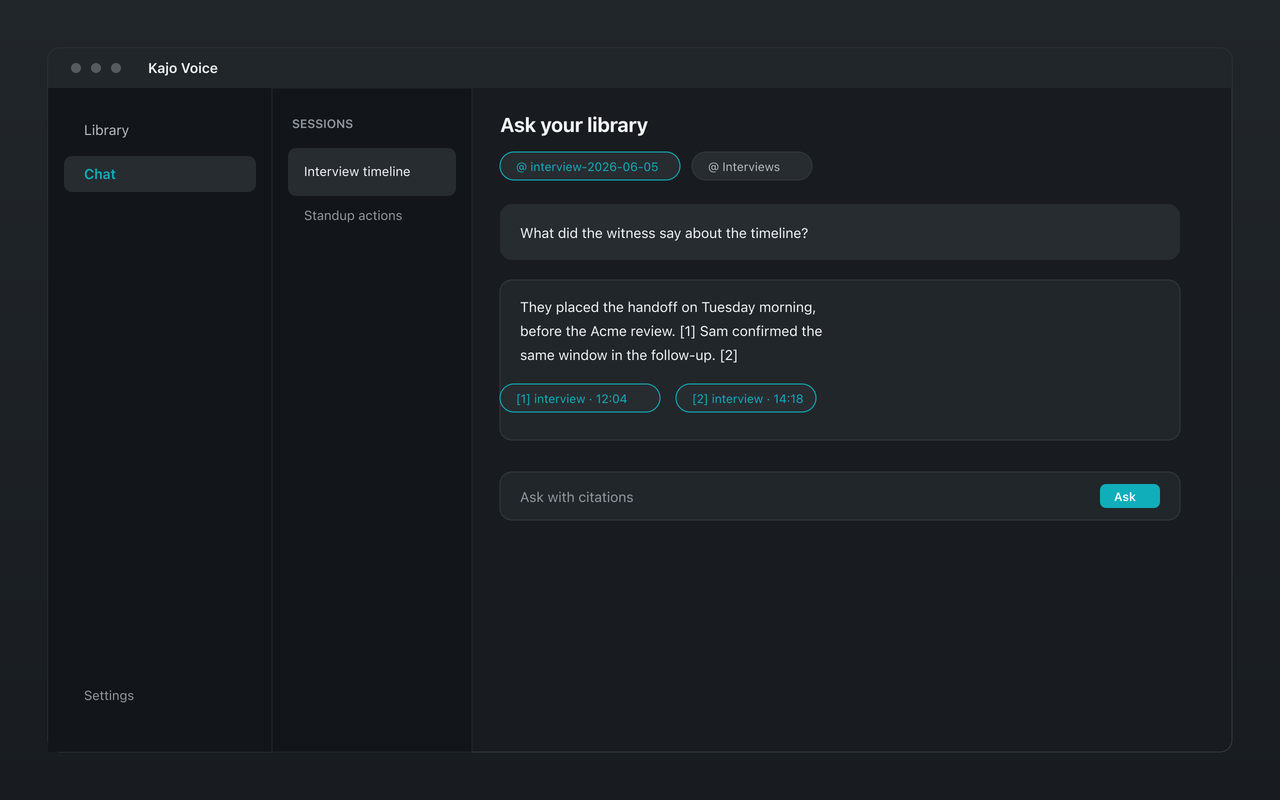
Kajo Voice is a local-first alternative: drop in recordings you already have, transcribe on-device, and keep a private searchable library with cited chat. Nothing in that loop requires uploading speech to a transcription vendor.
Where Otter fits (honestly)
Otter shines when:
- Meetings are routine and not highly sensitive
- You want live capture integrated with common meeting tools
- A team already standardizes on Otter’s workspace habits
- Convenience outweighs data-residency concerns
Those are real needs. This article is for the other case: you want Otter-like outcomes — transcripts, a searchable history, cited answers over your own recordings — without Otter’s upload path.
The architectural difference
Otter (typical cloud path): audio → upload → hosted transcription and notes → transcript in their product → retention per their policies — and, per Otter’s privacy policy, Trains its own AI on de-identified recordings and transcripts; the policy lists no opt-out.
Kajo (local path): file on disk → on-device transcription and speaker labels on your CPU/GPU → transcript in an encrypted local library → Gemma 4 on-device for summaries, translation, and chat → exports you choose.
After the one-time model download, Kajo transcribes offline. There is no hosted inference path for your content — no upload-to-enhance step and no remote completion relay. The only network traffic Kajo ever makes is licence validation and, unless you opt out, crash reports; analytics are opt-in. None of it carries audio or transcript text.
Feature-by-feature: what transfers, what changes
| Need | Otter-style cloud | Kajo local |
|---|---|---|
| Speech-to-text | Hosted models | One on-device engine, named on /what-runs-on-your-machine |
| Speaker labels | Cloud speaker ID | Automatic per-recording labels; rename and assign turns, on-device |
| Where transcripts live | Otter’s cloud workspace | Private local library with folders |
| Summaries and Q&A | Hosted AI | On-device Gemma 4 + cited chat |
| Live meeting bot | Core Otter strength | Not Kajo’s product — use files you already recorded |
| Pricing model | Subscription plans | Free allowance, then one-time Lifetime purchase |
If your workflow depends on an always-on meeting bot joining Zoom, Kajo is not a drop-in clone. If your workflow is “I already have the recording,” Kajo is often the better privacy fit.
Privacy and compliance without theater
“We take privacy seriously” on a marketing page is not the same as “audio never leaves the machine.” For attorney-client material, session recordings you already keep (under your professional obligations), IRB-bound interviews, and investigative sources, the upload itself is the risk event.
With Kajo you can show a simpler story to counsel or an IRB: transcription and chat run locally; there is no third-party speech processor in the pipeline. You still secure the laptop, control backups, and follow retention rules — but you are not adding Otter as a subprocessor for the audio.
Deletion does exactly what it says: removing a recording inside Kajo deletes the app’s audio copy, the transcript, the search index, and the chats that only used that recording. The original file on your disk is not touched.
Cost: subscription seats vs one-time local
Otter’s value proposition is ongoing access: seats, allowances, and plan tiers that renew — Pro lists at $16.99/user/month billed monthly ($8.33/user/month billed annually). That can be fine for light users. For people who transcribe every week for years, subscriptions become a permanent line item, and your archive’s usefulness is tied to continued payment and vendor continuity.
Kajo’s free tier includes the core loop (transcribe · translate · summarize · library · cited chat) up to 5 files or 150 minutes of audio, cumulative for life. When you outgrow that, one payment ($49 launch / $99 standard) unlocks unlimited imports and Lifetime convenience (watch folders, batch export). Your installed version keeps working forever; you are not renting the right to open last year’s interviews.
Accuracy expectations
Both categories of product produce strong transcripts on clean audio and struggle on crosstalk, heavy accents in edge conditions, and poor phone compression. Kajo runs one named, inspectable on-device engine — listed on /what-runs-on-your-machine — not an opaque hosted blend. Translation is a separate step on the same on-device Gemma 4 model, not a second upload.
For proper nouns, skim and fix with inline edit; corrections re-index chat without re-transcribing. For multi-party files, review the speaker labels against the audio before you paste quotes into a client memo.
Migration mindset (without a gimmick program)
You do not need a special “switch from Otter” coupon lane to leave a cloud tool. Practical migration looks like:
- Download the recordings you still need from wherever they live — Otter’s export rules: Basic exports plain text (.txt) and nothing else; Pro and above add audio (MP3) export; bulk export from Business
- Organize them in folders on disk (client, project, date)
- Import into Kajo, or point a watch folder at the intake directory (Lifetime)
- Rebuild search value by transcribing locally once
- Use cited chat going forward instead of the old cloud workspace search
Kajo imports audio and video, not Otter’s text exports — keep those as DOCX or PDF references alongside. New work stays local.
What you need to run it
A Mac, Windows, or Linux machine with 16 GB of RAM. ≈2.2 GB of models before your first transcript (≈2.5 GB on macOS); ≈9 GB in total once the chat model finishes downloading in the background. Download once — everything runs offline afterwards.
Who should stay on Otter
Stay if live bot capture is non-negotiable, your content is low sensitivity, and the subscription cost is acceptable. Switch when upload risk, offline work, Linux or desktop file workflows, or long-term archive ownership matter more than meeting-bot convenience.
Who should try Kajo first
- Solo litigators, investigators, and consultants who cannot put client audio in a consumer AI workspace
- Researchers barred from cloud transcription by protocol
- Journalists protecting sources
- Anyone building a long-lived personal or professional audio knowledge base on a laptop they control
Download the free tier, run a real sensitive file you would never upload, and verify with your own network tools that transcription does not phone home. That single test usually decides the architecture question faster than another feature matrix.