The interview transcript is a foundational document in journalism. It is the raw material of stories, the record that protects against misquotation claims, the reference that makes fact-checking possible. Getting interview audio into searchable, quotable text is one of the most important efficiency gains available to working journalists.
But journalists who work with sensitive sources have a security concern that most transcription tools do not address: when you upload a recording to Otter.ai, Notta, or a cloud transcription service, your source’s voice is now on someone else’s servers. That is an exposure with real consequences.
Source protection and local processing
Journalists’ ethical — and in some cases legal — obligations around source confidentiality are serious. A source who requests anonymity or speaks off the record expects the journalist to control access to that information.
When interview audio is uploaded to a cloud service, several parties have technical access to it: the service’s engineering team, any contractors they use for quality review, anyone who gains access through a breach, and potentially government authorities who serve legal process on the vendor.
Kajo Voice’s local processing means your source’s voice stays on your device. The transcript is stored in a local encrypted database. No cloud vendor has access. If someone wants to compel access to your recordings, they need to compel you — not a third-party vendor who processes millions of recordings and may fold under pressure.
For beat reporters covering sources in government, corporate whistleblowing, criminal justice, or national security, this architectural difference matters.
What happens after you import
Transcription runs on your machine (16 GB of RAM minimum); speed depends on your hardware — Apple Silicon uses the GPU, Intel Macs, Windows, and Linux run on the CPU and take longer. Nothing uploads, so there is no queue. The transcript appears in Kajo’s viewer with timestamps and automatic speaker labels. You can immediately:
- Search for specific words or phrases
- Click a segment’s timestamp to jump the player there
- Copy quoted segments with accurate timestamps
- Export a formatted transcript for the record
Compare this to the old workflow: upload to a service, wait for the queue, download the transcript, discover the accuracy is off on key proper nouns, manually correct. Kajo keeps sensitive source audio on your machine — then you fix proper nouns with inline edit before you publish, and the correction re-indexes chat without re-transcribing.
Multi-source interviews
Many journalistic interviews involve multiple participants — a press conference with officials, a roundtable with sources, a focus group. Kajo transcribes the full session locally and labels speakers automatically per recording; rename them (“Official”, “Source A”) and the names follow into exports, summaries, and cited answers. Review attribution against the audio where a quote matters.
Correct any misheard names in the viewer, and export to TXT, DOCX, or SRT when you file the story.
Proper nouns that matter on your beat
Every beat has names, places, and jargon that generic speech models mishear. After transcription, skim those terms and fix misses with inline segment edit so quotes and search stay accurate — without uploading source audio to a cloud queue.
Multilingual reporting
International correspondents, immigration reporters, and foreign affairs journalists regularly work in multiple languages. Transcribes 98 languages on your laptop — all on-device. A transcript from a Spanish-language interview is searchable in Spanish; a French interview in French.
Language detection works once per recording, from its opening, with a vocabulary that spans every language the model knows — so when a source switches to English for the technical points, short switches usually come through as spoken, and long runs in the second language are the spans to review. Translate a foreign-language tape on-device into 59 target languages, then ask that recording in English; the original stays as the record.
The bilingual export for documentary makers
Documentary makers can export bilingual SRT/VTT — the original line paired with its on-device translation — to caption multilingual interview segments without a separate translation step.
A reporting workflow that stays local
- Record the interview on a phone or audio recorder
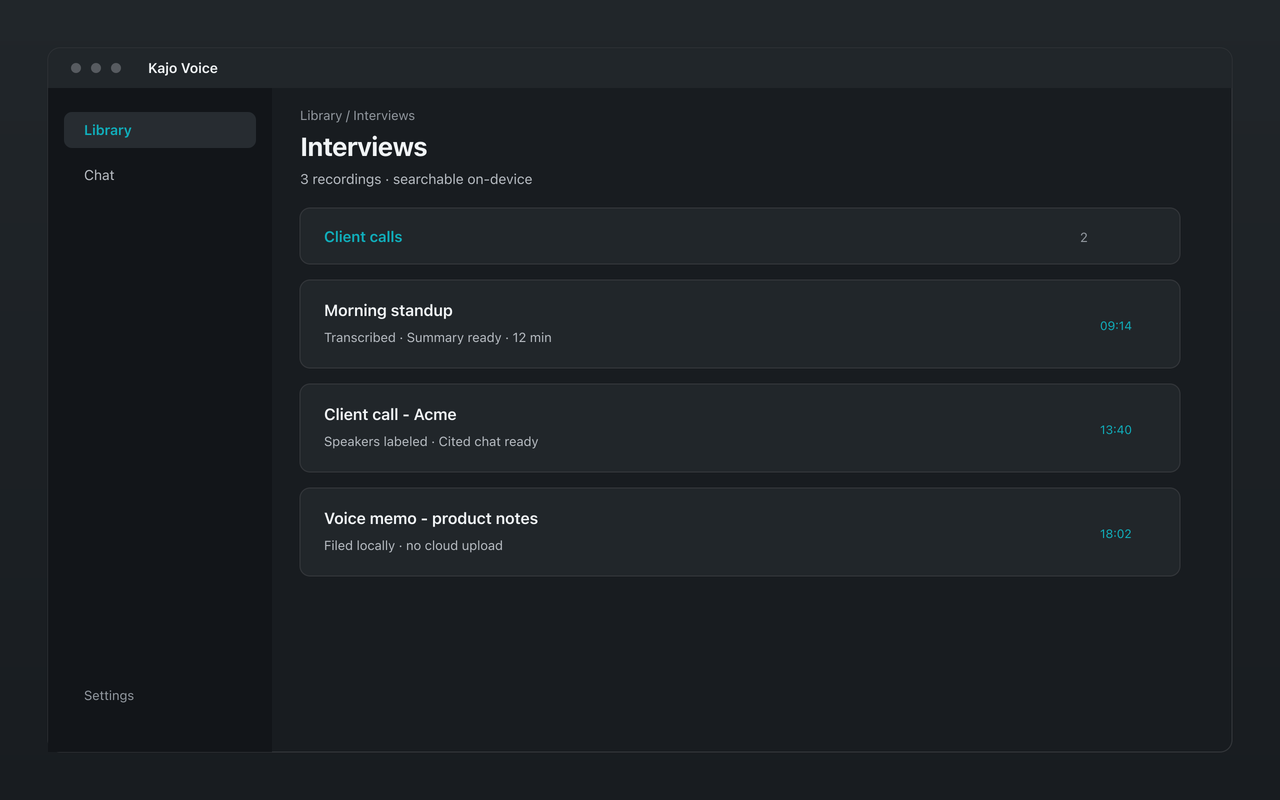
- Import the file into Kajo, into the story’s folder
- Kajo transcribes locally and labels the speakers
- Review the transcript, correct proper nouns and speaker names
- Export to DOCX for story research reference
- Keep the transcript in Kajo’s searchable library
Cited chat becomes useful for investigative reporters who accumulate dozens of interview transcripts on a story. Pin the story folder — or, for your own archive, confirm “Search entire library…” — and ask “What did sources say about the contract award process?” Every answer cites speaker and timestamp, or says the archive does not contain it.
Wiping a source
When a source needs to disappear from your machine, delete the recording inside Kajo: that removes the app’s audio copy, the transcript, the search index, and the chats that only used that recording. The original file on your disk is not deleted — remove it yourself, along with any exports.
Cost and practical access
Many editorial budgets have been cut, and freelance journalists pay their own transcription costs. Rev’s human transcription is $1.99 per audio minute — about $1,200 for 10 hours of interviews, a significant expense on a per-story basis.
Kajo Lifetime is a one-time purchase with no minute meter. One payment ($49 launch / $99 standard) unlocks unlimited imports and Lifetime convenience (watch folders, batch export) — no subscription; your installed version keeps working forever.
What Kajo doesn’t provide
Kajo doesn’t offer verbatim legal transcript certification — if you need certified transcripts for legal proceedings, you still need a certified court reporter. It also has no court-reportable verbatim mode with every verbal tic and false start preserved.
Kajo is designed for working journalists who need private transcription and a searchable, cited archive — not for legal certifications.